Klaviyo Unsubscribe Link (Plus Mailchimp and 4 More Tags)
The Klaviyo unsubscribe link tag, plus the tags for Mailchimp, Brevo, HubSpot, ActiveCampaign and Omnisend: where to paste each one and why a button links nowhere.
A Klaviyo unsubscribe link, like any unsubscribe link, only works if it uses your email platform’s own unsubscribe tag. The tag is a short code that the platform swaps for a real, personal unsubscribe link when it sends. In Klaviyo, {% unsubscribe %} creates the whole link and {% unsubscribe_link %} gives only the link address, for a button or your own link text. In Mailchimp, use *|UNSUB|* as the link address. If you type the word Unsubscribe and link it to nothing, the platform won’t recognise it, and the email goes out without a working way to leave the list.
Unsubscribe tags by platform
| Platform | Tag | How to use it |
|---|---|---|
| Klaviyo | {% unsubscribe %} |
Paste it on its own in the footer text. It creates a full link with the word Unsubscribe. For other words: {% unsubscribe 'Manage email preferences' %} |
| Klaviyo | {% unsubscribe_link %} |
Paste it as the link address of a button or of your own link text |
| Mailchimp | *|UNSUB|* |
Paste it as the link address |
| Brevo | {{ unsubscribe }} |
Paste it as the link address |
| HubSpot | {{ unsubscribe_link }} |
Paste it as the link address. {{ unsubscribe_link_all }} unsubscribes from every type of email |
| ActiveCampaign | %UNSUBSCRIBELINK% |
Paste it as the link address |
| Omnisend | [[unsubscribe_link]] |
Paste it as the link address |
If a tag in your account looks different from this table, trust the account. Copy the tag from a campaign that already went out and worked.
In practice: select the word Unsubscribe in your footer, add a link, and paste the tag where the editor asks for the web address.
Why a Klaviyo unsubscribe button links nowhere
Pasting {% unsubscribe %} as a button’s link address looks reasonable and doesn’t work. That tag creates a complete link, words included, so the button ends up pointing at a link instead of an address. The button shows up, and clicking it does nothing useful.
For a button, Klaviyo needs {% unsubscribe_link %}. Use {% unsubscribe %} only on its own, in a line of text. If a Klaviyo unsubscribe button does nothing, check this first.
Why an unsubscribe tag goes missing
- The template was built for another platform. A footer with Mailchimp’s
*|UNSUB|*moved to Klaviyo has no Klaviyo unsubscribe link at all. - A placeholder replaced the tag. If the footer text comes from a translation and the translated text is just the word Unsubscribe, the platform’s tag is gone.
- Someone translated the tag. A translator retyped the footer and changed the tag. The platform only recognises its own exact spelling.
The fix for all three is the same. Keep the platform’s tag in the part of the template every language shares, and translate only the words next to it.
Is an unsubscribe link required?
Yes. US law (CAN-SPAM) and GDPR in the EU require a clear way to opt out of marketing email. Since February 2024, Gmail and Yahoo also require large senders (5,000 or more messages a day to Gmail) to offer one-click unsubscribe and to show an unsubscribe link in the email. Your email platform adds the one-click button at the top of the inbox for you, but the visible link in the footer is your job. It has to be readable, too: white text on a white background or tiny text doesn’t count as clear.
One-click unsubscribe is the Unsubscribe button Gmail and Yahoo show next to the sender name. Klaviyo and the other big platforms switch it on for marketing emails. To confirm it, send a test to a Gmail address and look for Unsubscribe next to your sender name.
How EmailStitch checks the tag
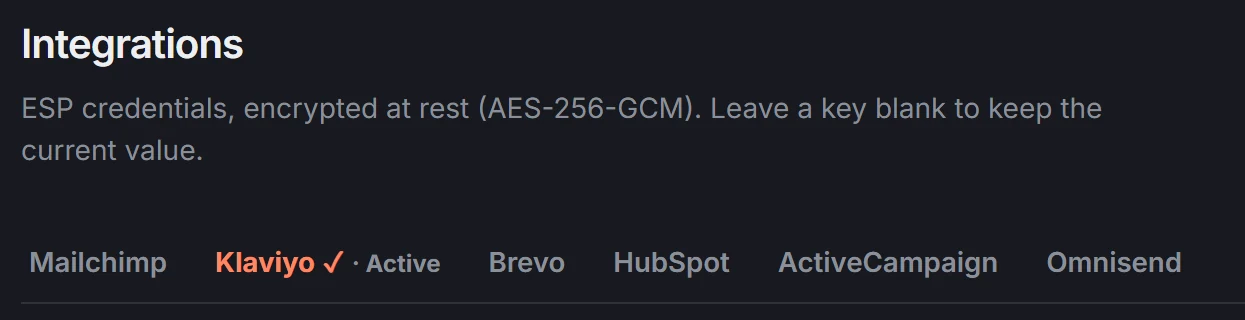
EmailStitch is the email production tool this blog belongs to. You connect your email platform in settings, and the connected one becomes the active one. Publish sends the email to it, and Review looks for its unsubscribe tag.
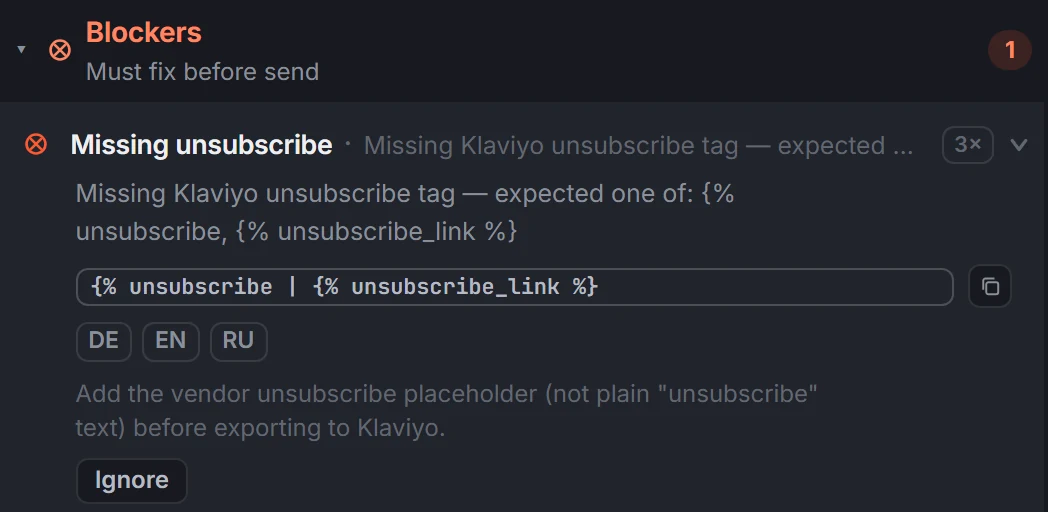
A footer that says Unsubscribe but links nowhere gets a Missing unsubscribe blocker, in every language, naming the tag it expected:
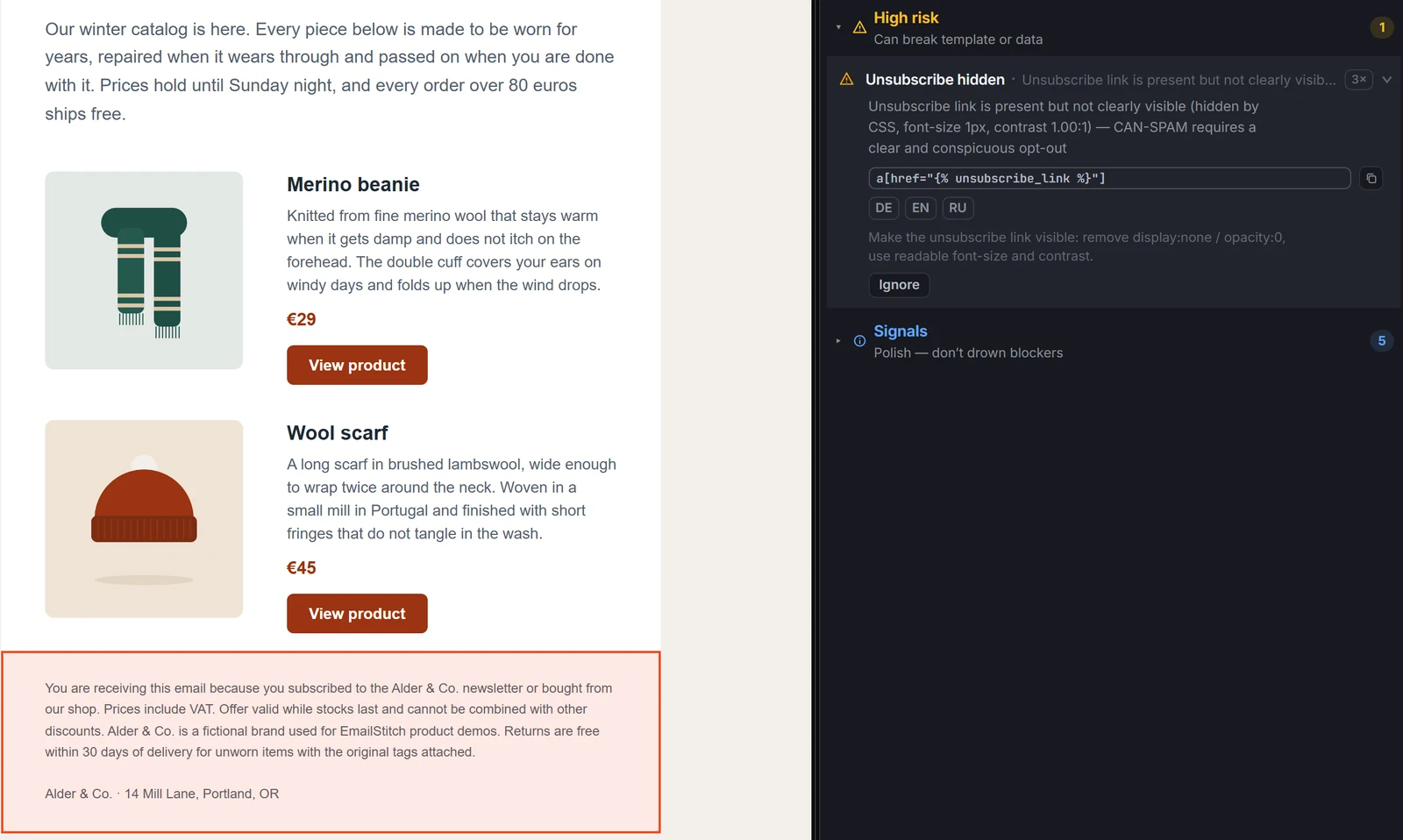
A real tag hidden in tiny white text is reported separately, as Unsubscribe hidden under High risk:
Review also accepts the common alternatives, such as *|UNSUBSCRIBE|* for Mailchimp, %UNSUBSCRIBEURL% for ActiveCampaign and [[unsubscribe]] for Omnisend. The broken-link check skips these tags, so a Mailchimp unsubscribe never shows up as a broken link. A missing tag is a blocker, but it doesn’t lock Publish. You can confirm and send anyway.
Want a quick check of one email without an account? Paste it into the free unsubscribe link checker.
Before you send
- The active platform in your tool is the one you’re sending from.
- The tag from the table above is in the shared footer, used the way the table says.
- The link is readable: normal text size, enough contrast, not hidden.
- Send a test and click the footer link. If you see braces, pipes or percent signs, the tag doesn’t match this platform.
If the email is long, Gmail can hide a correct footer anyway: see Gmail clipped message. The rest of the pre-send checks are on the HTML email QA checklist.
In sale season, when templates get copied between clients and platforms, this is the first check on the Black Friday email checklist.
FAQ
How do I add an unsubscribe link to a custom template in Klaviyo?
Put {% unsubscribe %} in the footer text. For your own words or a button, link them to {% unsubscribe_link %}.
What is the Mailchimp unsubscribe tag?
*|UNSUB|*. Use it as the link address of the word Unsubscribe.
What is one-click unsubscribe?
The Unsubscribe button Gmail and Yahoo show next to the sender name. Your email platform adds it when it sends. It does not replace the unsubscribe link in your footer.
Why does my unsubscribe link show the tag as text?
The tag doesn’t match the platform that sent the email, or someone changed the tag in the file. Copy the exact tag from the table above or from a campaign that went out correctly.